Proudly Presenting to you .....
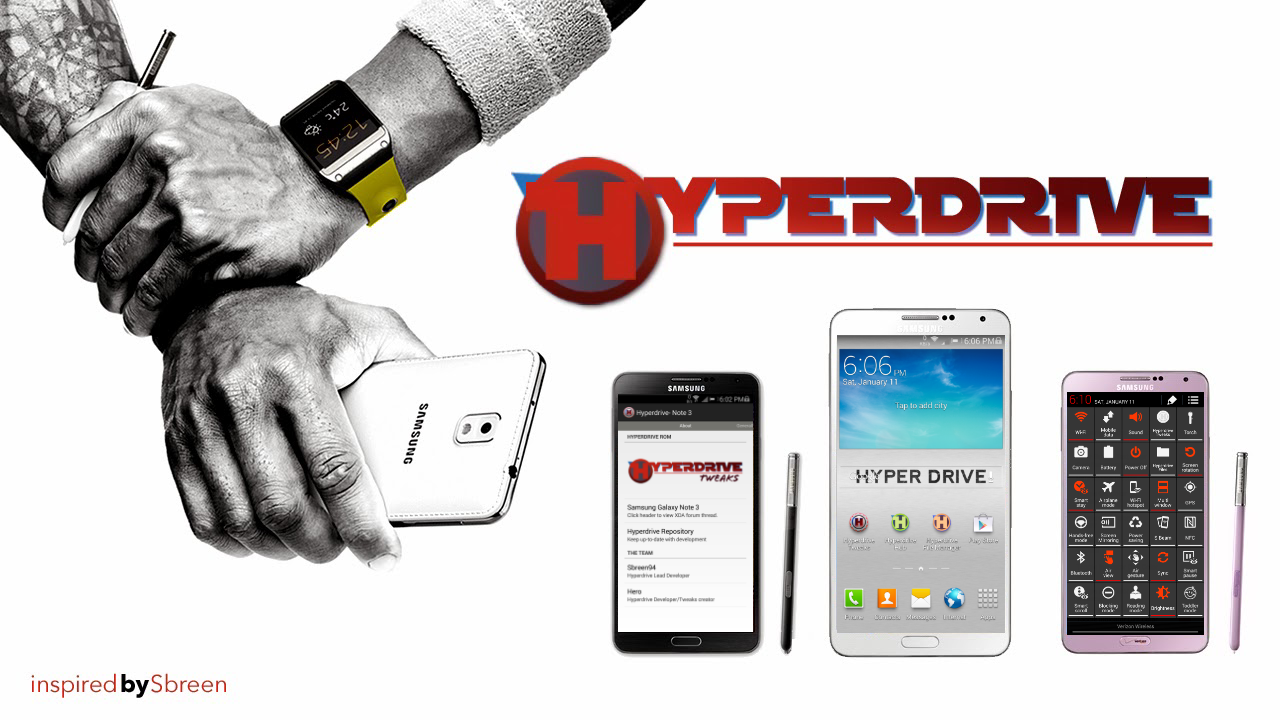
The rom that brings you the most customization and new features, legendary performance and battery life on your ATT Note 3, First!!

The rom that brings you the most customization and new features, legendary performance and battery life on your ATT Note 3, First!!
Disclaimer:
- This Rom is able to be installed on the Retail & Dev Edition Note 3 on Firmware Base N900VVRUBMJ5
- I am not responsible for anything that may happen or happens to your phone as a result of this custom firmware/Rom. You are choosing to install this yourself and thus assume any/all risks involved
- MJ5 Base Firmware
- Android 4.3 w/ TW
- Rooted w/ latest su binary
- Deodexed & Zipaligned
- CSC- Fully modded
- Knox Free
- Hyperdrive Tweaks 2.0- Humongous Big collection of Customizable Tweaks and options for your Phone(see below)
- Hyperdrive HUB- download and customize your device with apps/ animations/wallpapers/keyboard skins/fonts/full themes/read FAQ/see helpful links from your phone
- HyperdriveOTA- Receive automatic Over the Air Rom updates
- Hyperdrive WallPapers - Custom Wallpaper Picker with Added Funcitonality
- Hyperdrive PIE- PIE Controls with added functionality built directly into rom
- Hyperdrive File Manager- Enhanced File Browser
- Hyperdrive Color Control- Customize your Phones Look On-The-Fly
- Choice of Stock or Custom Theme Look
- Extended Power Menu
- Floating Multiwindow and 4 Way Multiwindow
- 30 Custom Notification Panel Quick Settings
- Unlocked Tethering Provisions
- Busybox, nano, bash, cron, zram, sqlite3 support
- Filesystem trim
- Muted Boot Sounds
- Optimized all apk and jar file and removed all debugging(.line) code
- Patched services.jar to disable signature checks and launcher redraw
- init.d support
- data/app support
- Custom Build.prop tweaks
- Speed and Performance Tweaks
- Battery Life enhancements
- Much More

About:
- View Forum Thread
- View Hyperdrive Rom Repository
- View XDA Profile
- Donate via Paypal
- Follow on Twitter
- Follow on Google+
- Join on Facebook
General:
- Choose Screen Off Animation (CRT, Fade, None)
- Touchwiz Launcher Wallpaper Scrolling on/off
- Infinite scrolling on/off
- Toggle between hiding apps from app drawer or disabling them
- Homescreen Swipe up from launcher for Google Now or Mymagazine
- Enable or disable Home button double press on homescreen
- Custom NFC Action( NFC Only Screen On, NFC on Lockscreen, NFC with Screen Off)
- Volume Panel Timeout
- Unlocked Samsung App Opps
- Phone Mods:
- -Enable/Disable Auto Call Recording for Incoming Calls
- -Enable/Disable Auto Call Recording for Outgoing Calls
- -Enable/Disable Increasing Ringtone
- -Change End Call Delay Time
- -Remove or Add Recording info for In-Call Screen
- Power Menu Power Off Toggle
- Power Menu Airplane Mode Toggle
- Power Menu Restart Toggle
- Power Menu Recovery Toggle
- Power Menu Download Mode Toggle
- Power Menu Torch Toggle
- Power Menu Screenshot Toggle
Statusbar:
- Display network traffic speed
- ANY color for network traffic speed
- Clock Options (Set Clock Position to Right, Center, Left or Hidden)
- Am/Pm Style (Normal, Small or Hidden)
- Weekday Options (Hide Weekday, Small Weekday, Regular Weekday)
- Enable/Disable Statusbar Lock Button
- Enable/Disable Notification Panel CPU Load Widget
- Enable/Disable IME Keyboard Switcher
- Hide/Show Alarm Icon
- Hide/Show NFC Icon
- Hide/Show Smart Screen Icon
- Hide/Show Bluetooth Icon
- Hide/Show Sound Icons
- Enable/Disable Nav Bar Softkeys
- Enable/Disable Bootanimation
Battery:
- Choose from over 15 custom battery icons on the fly!
- Battery Text Style (Regular %, Small %, No %, Hide Battery Text)
- Auto Battery Text Color
- Set ANY Color for Static battery color
- Set ANY Color for Charging Text Color
- Set ANY Color for Regular Text Color
- Set ANY Color for Medium Battery level text Color
- Set ANY Color for Low Level Battery text color
- Show Hide in rom MIUI Battery Bar
- Auto Color Battery Bar
- Set ANY Color of Battery Bar
- Animation of Battery Bar
- Set Animation Pulse mode
- Set General Animation Mode
- Set ANY Color for Charging Battery Bar Color
- Set ANY Color for Regular level Battery Bar Color
- Set ANY Color for Medium Battery level Battery Bar Color
- Set ANY Color for Low Level Battery Bar color
Colors:
- Set ANY Color for Statusbar
- Set ANY Color for Statusbar Clock
- Set ANY Color for WiFi Icons
- Set ANY Color for Signal Icons
- Set ANY Color for Notification Icons
- Set ANY Color for Notification Panel Color
- Set ANY Color for Dropdown Clock
- Set ANY Color for Dropdown Date
- Set ANY Color for Ongoing Header Text Color
- Set ANY Color for Clear Button Text Color
- Set ANY Color For Notification Panel Toggle ON
- Set ANY Color For Notification Panel Toggle OFF
- Set ANY Color For Notification Panel Toggle ON Indicator
- Set ANY Color For Notification Panel Toggle OFF Indicator
- Set ANY Color For Notification Panel Toggle DIM
- Set ANY Color For Notification Panel Toggle Dim Indicator
- Set ANY Color For Notification Panel Toggle Text
- Set ANY Color For Notification Panel Toggle Background
- Set ANY Color For Power Menu Text
- Set ANY Color for Power Menu Icons
- Set ANY Color for Menu Button Text
HD Pie Controls:
- Enable pie controls
- Set pie activation location
- Set pie activation gravity
- Set pie activation width
- Set Pie activation height
- Change linked system app icon behavior
- Change linked user app icon behavior
- Change pie status info behavior
- Change pie status info font
- Disable pie when keyboard is present
- Set pie status info clock color
- Set pie status info notification color
- Set pie color (presets)
- Set pie tiles color
- Set pie selection color
- Set pie icon color
- Set pie outline color
- Set pie gradient color
- Set pie gradient outline color
Lockscreen:
- AOSP Lockscreen with Toggle On/Off
- AOSP Lockscreen Vibration with Toggle On/Off
- Stock Samsung Lockscreen Settings
- Enabled/Disable Light Effect
- Enable/Disable Ripple Effect
- Improved Ink Effect
- Set ANY Color for Ink Effect
- Enable Torch Light on Lockscreen
- Set any Timeout for Lockscreen Torch
- Enable Music Control(Volume Rocker Skip with Customizable Options)
- Set button timeout
- Set volume up option
- Set volume down option
Misc:
- Multiwindow Manager
- Pen Window Manager
- SPen Keyboard Switcher
- Media Scanner
- Battery Settings
- Additional app Functionalities
Xposed:
- Install Framework
- Manager Modules
- PerAppDPI Settings
Memory:
- Foreground apps
- Visible apps
- Secondary server
- Hidden apps
- Content providers
- Empty apps
- Choose preset memory values
Tools:
- Force init.d support
- Edit Shell Command
- Zipalign
- Wipe Cache/dalvik cache
- Fix permissions
- Optimize databases
- Reboot
- Reboot Recovery
- Reboot Bootloader
- HotBoot
Package Manger:
- Enable Data Persistance
- Persist LCD Density
- Persist Host File
CPU Settings:
- CPU Info
- Time In State
- Set Max Clock speed
- Set Min Clock speed
- Set Governor
- Set Scheduler
Additional Features:
- Hyperdrive Boot and Shutdown Animation
- Removed Airplane Mode Toggle warning
- Removed full battery notification
- Removed low battery warnings
- Removed warning from data toggle
- Unlocked Fonts- Over 500 fonts in rom to choose from
- Removed Cancel from Power Menu
- Custom Boot Animation
- Custom Fun S Pen Sounds
- Disabled Scrolling Cache in Framework
- Device Status Reads as Official
- 4 Way Rotation
- No Ascending Ringtone
- Join Unlimited Contacts
- Unlimited Contact Name Length
- Unlimited tabs in Browser
- Unlocked additional Browser features
- Unknown sources enabled by default
- TW Launcher Hacked for Speed and up to 9 homescreens
- Camera Shutter Sound on/off menu
- Use Camera while on a call
- Use Camera with Low Battery
- Unlimited 4K Recording
- Messaging Features
-Scheduled Messaging
-Screen on/off messaging toggle
-Message vibration and Signature option
-Save/Restore Messages
-Enabled 1000 SMS recipient limit
-SMS limit per hour increased
-Enabled Split-View Mode On/Off Toggle
-Increased Max MMS, SMS and Image Size
-Disable SMS-MMS Auto Conversion
-Folder View with toggle- Removed
-Anything Verizon
-All Howto videos and help hub
-All Verizon Bloatware, branding, anything Verizon is gone
-System Updates from Settings
-Samsung and Verizon OTA updaters
-All Amazon Apps and widgets
-Boot and Shutdown Sounds
-Easy Mode: Settings, apps and widgets- Added:
-SPlanner
-Viper4Android Audio
-Ad Blocking
-Fully Resizable Popup browser
-Briefing Widget
-Es File Explorer
-Google Edition 4.3 Wallpapers
-CyanogenMod Torch

Thanks to the following People for help, files, etc:
dwitherell
jeboo
Shoman94
Goldie & ficeto
Didact74
loserskater
Hashcode
madjini
rompnit
mythrandyr
Kryten2k35
BrandonNrz
AOKP & Micode for Open source code
lidroid
beanstown106 for stock base
Samsung for being the best
Anyone else i missed, please pm me!
XDA:DevDB Information
Hyperdrive Rom - Galaxy Note 3 ATT, a ROM for the AT&T Samsung Galaxy Note 3
Contributors
sbreen94, Sbreen94, Hero, RErick
ROM OS Version: 4.3.x Jellybean
ROM Kernel: Linux 3.4.x
ROM Firmware Required: Rooted with Safestrap Installed
Based On: Stock Samsung Firmware
Version Information
Status: Stable
Current Stable Version: RLS6
Stable Release Date: 2014-01-26
Created 2014-01-26
Last Updated 2014-01-26

Aucun commentaire:
Enregistrer un commentaire